
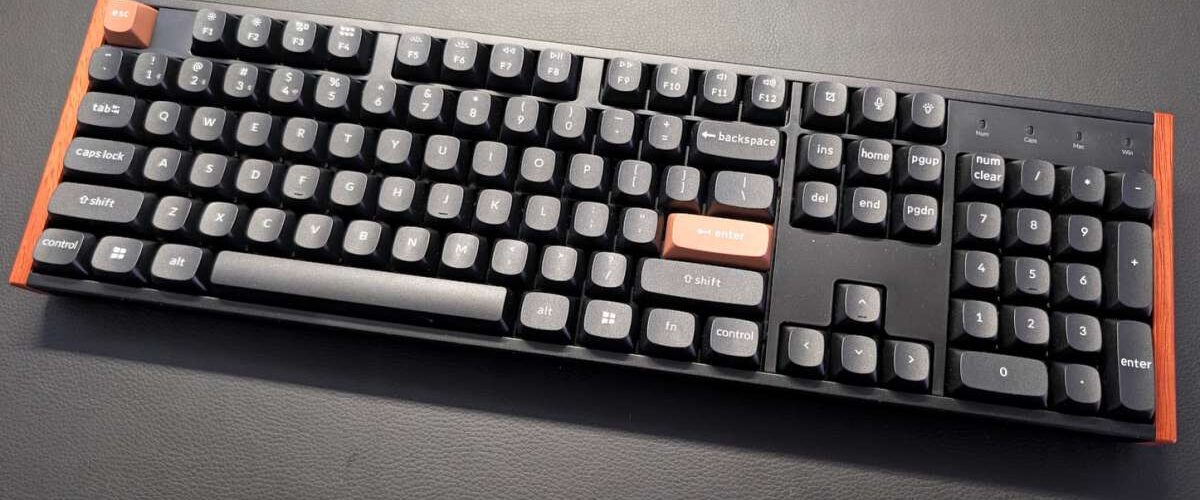
I’ve never spent more than maybe $20 on a keyboard. In fact, I’m not sure if I’ve ever bought more than one keyboard – aside from purchasing three of the excellent Logitech K400s for my family room, tabling, etc. I’ve always just had old spare keyboards lying around my house or my parents’ place whenever I needed to setup a docking station or something. The one $10 keyboard I bought, however, was a year ago when setting up a new triple-monitor workstation that I now use frequently… and, while I’ve gotten used to the keyboard, it just felt cheap.
So, when the Microsoft Curve 2000 keyboard used in my home studio KVM docking station started to die on me this month, I was hesitant to grab another $10 solution. After a few days of going back and forth… I ended up taking a little dive into the world of mechanical keyboards, and I fell hard for a Keychron K10 HE with wood and metal frames that was on sale (with a discount four times larger than the amount I spent on my last keyboard purchase!). I got sold on the look, the feel, and the customization potential – both in hardware and software.
That made it very disappointing when the WebHID settings editor at launcher.keychron.com could not connect to my K10 in GNU/Linux. It kept saying “[X] HID device connected” as an error message, and I couldn’t get past the connect page. I spent the last hour trying to solve it, and I’m writing up the solution to save someone else an hour.
Custom udev rule to the rescue
I figured this out courtesy of this PSA for GNU/Linux users on r/keychron. The problem is that GNU/Linux has sane security measure in place, so a userspace application can’t just write to a hardware input device. But there is a solution – you need to give yourself permission to do that with a custom udev. rule.
The PSA already includes most of these steps, but I want to share the exact udev rule I used in Debian 12, in case that’s helpful to anyone.
First, I used lsub to confirm the vendor ID and product ID showing on my K10:
balleyne@exponentia:~$ lsusb | grep -i keychron
Bus 001 Device 082: ID 3434:0ea0 Keychron Keychron K10 HE
The Vendor ID is 3434 and the Product ID is 0ea0. My username (and personal group) is balleyne, and I only need to grant myself, access, so here’s the udev rule I created at /etc/udev/rules.d/99-keychron.rules:
KERNEL=="hidraw*", SUBSYSTEM=="hidraw", ATTRS{idVendor}=="3434", ATTRS{idProduct}=="0ea0", MODE="0660", GROUP="balleyne", TAG+="uaccess", TAG+="udev-acl"You’ll want to verify the VID/PID of your device, and change the username to your own.
Then, I ran the two commands from the PSA to reload the rules and trigger them:
sudo udevadm control --reload-rules
sudo udevadm trigger
Et voila! Now, when I go to launcher.keychron.com and connect to my device, it works!
Happy typing. And RGB lighting.


7 thoughts on “HOWTO: Get the Keychron Launcher working in Debian GNU/Linux”
Thank you, this is exactly what I was just trying to do and the udev rule worked perfectly!
Glad to hear it!
Thank you!
Thank you. It helped me.
Excellent! This worked. Thank you!
Thanks Blaise, this worked for me. Go Canada!
TYSM an awesome fix for me!